> For the complete documentation index, see [llms.txt](https://wpdocs.gitbook.io/winesto/llms.txt). Markdown versions of documentation pages are available by appending `.md` to page URLs; this page is available as [Markdown](https://wpdocs.gitbook.io/winesto/setting/breadcrumb.md).
# Breadcrumb
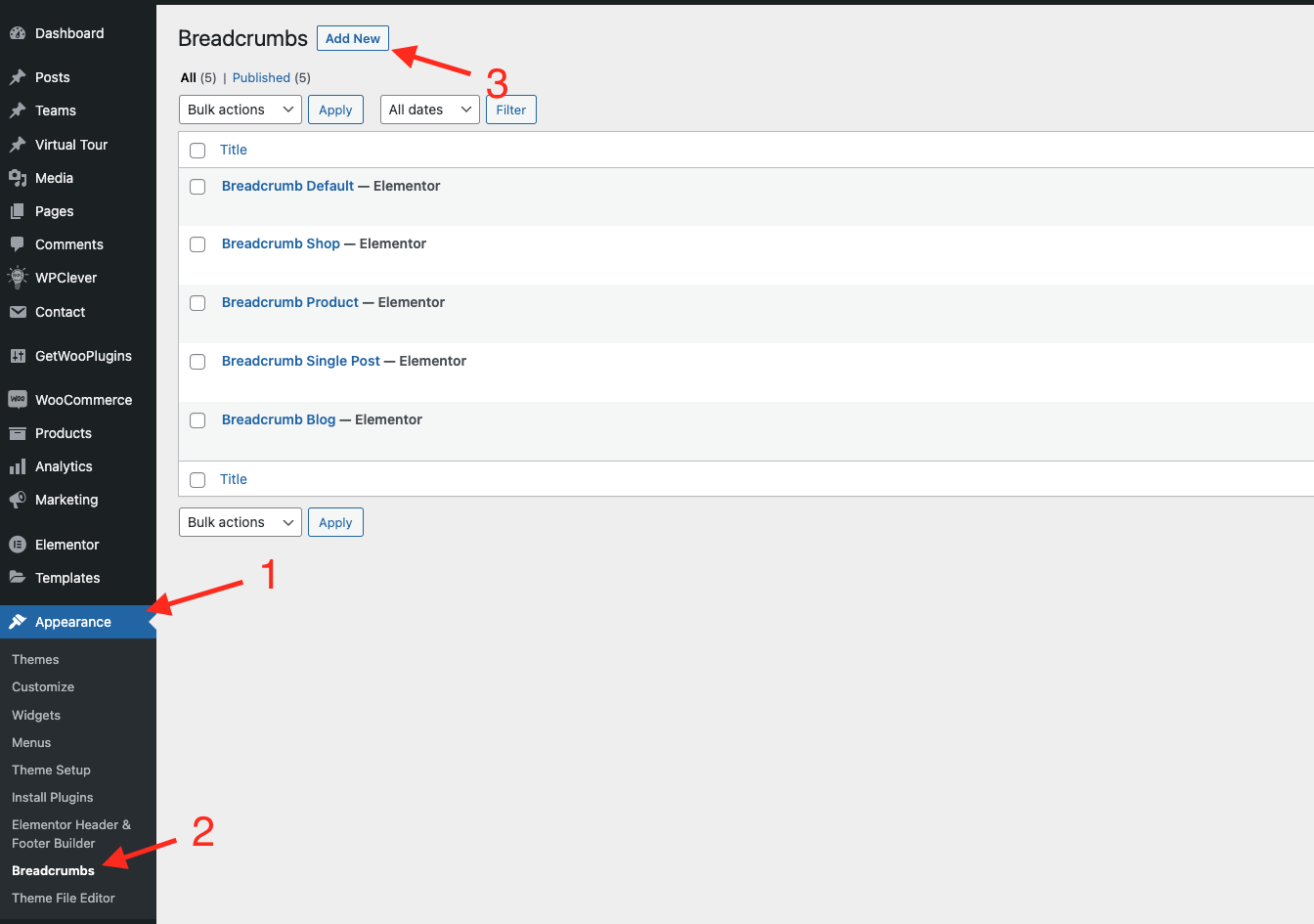
**Step 1** Go to WordPress Dashboard > Appearance > Breadcrumb > Add New
**Step 2** Click ‘Add New ’ and Name your Breadcrumb template and click ‘Create Breadcrumbr’ and 'update'.
**Step 3** - Drag or drop the element that you want to build your template style with a limited layout
After all, click **"Update"** for settings.
**Step 4 - Set up Breadcrumb**
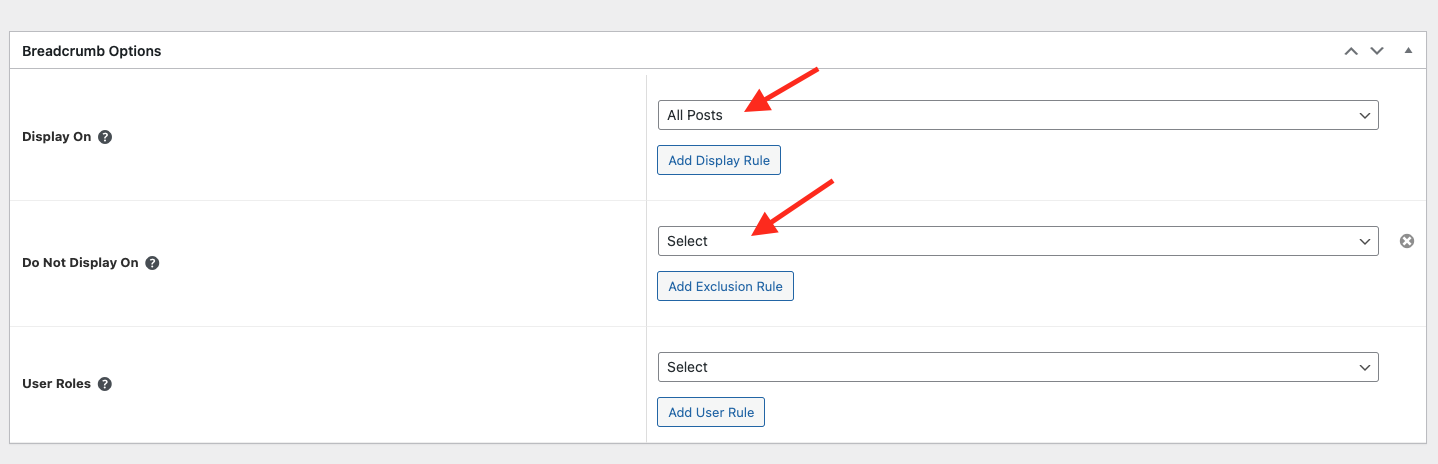
* Choose tab **Breadcrumb** and you can add the template that has been created to the page.
* Edit the display of your Breadcrumb Template that can add the created template to the page.
**Step 5** Click SAVE & CLOSE
After all, click **"Update"** for settings.