> For the complete documentation index, see [llms.txt](https://wpdocs.gitbook.io/sunic/llms.txt). Markdown versions of documentation pages are available by appending `.md` to page URLs; this page is available as [Markdown](https://wpdocs.gitbook.io/sunic/setting/typography.md).
# Typography
**Step 1** - you can go to any elementor edit page.
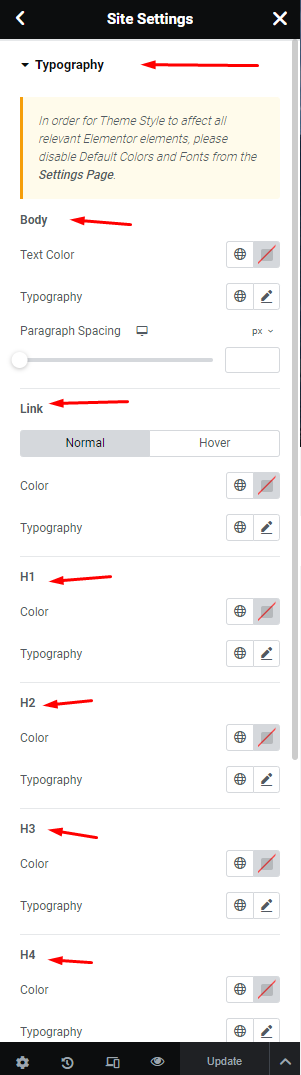
**Step 2** - Site Settings >> Typography >>
**Step 3** - Settings Typography for your site
Then click "Save & Publish" for settings.