> For the complete documentation index, see [llms.txt](https://wpdocs.gitbook.io/nutreko/llms.txt). Markdown versions of documentation pages are available by appending `.md` to page URLs; this page is available as [Markdown](https://wpdocs.gitbook.io/nutreko/setting/breadcrumb.md).

# Breadcrumb

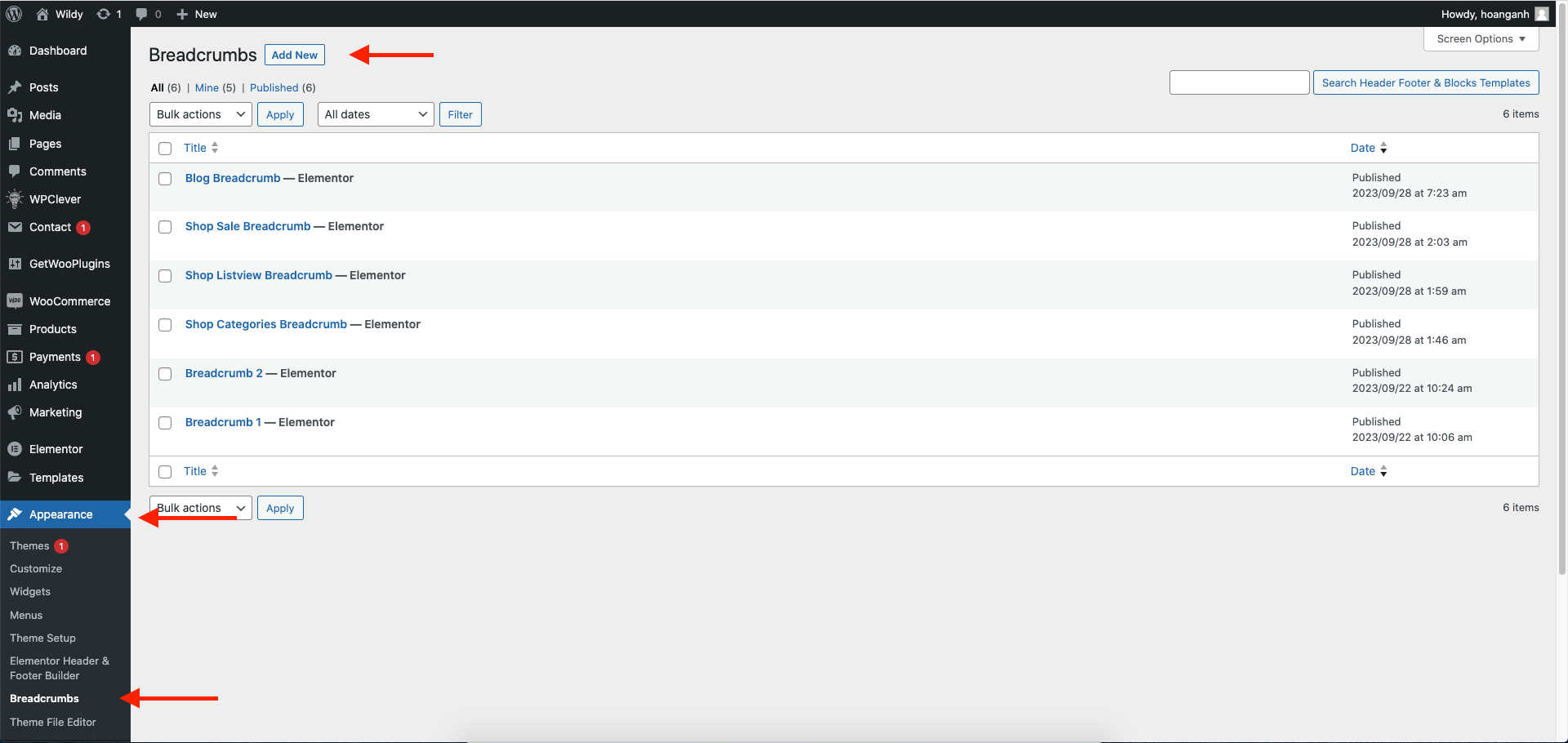
**Step 1 -** Go to WordPress Dashboard -> **Appearance** -> **Breadcrumb** -> **Add New**

<figure><img src="https://content.gitbook.com/content/2kcTXIbyXLOroFjB4YZi/blobs/Nt1fVV6clyQnkOao6hHQ/Screen%20Shot%202023-10-02%20at%209.47.01%20AM.png" alt=""><figcaption></figcaption></figure>

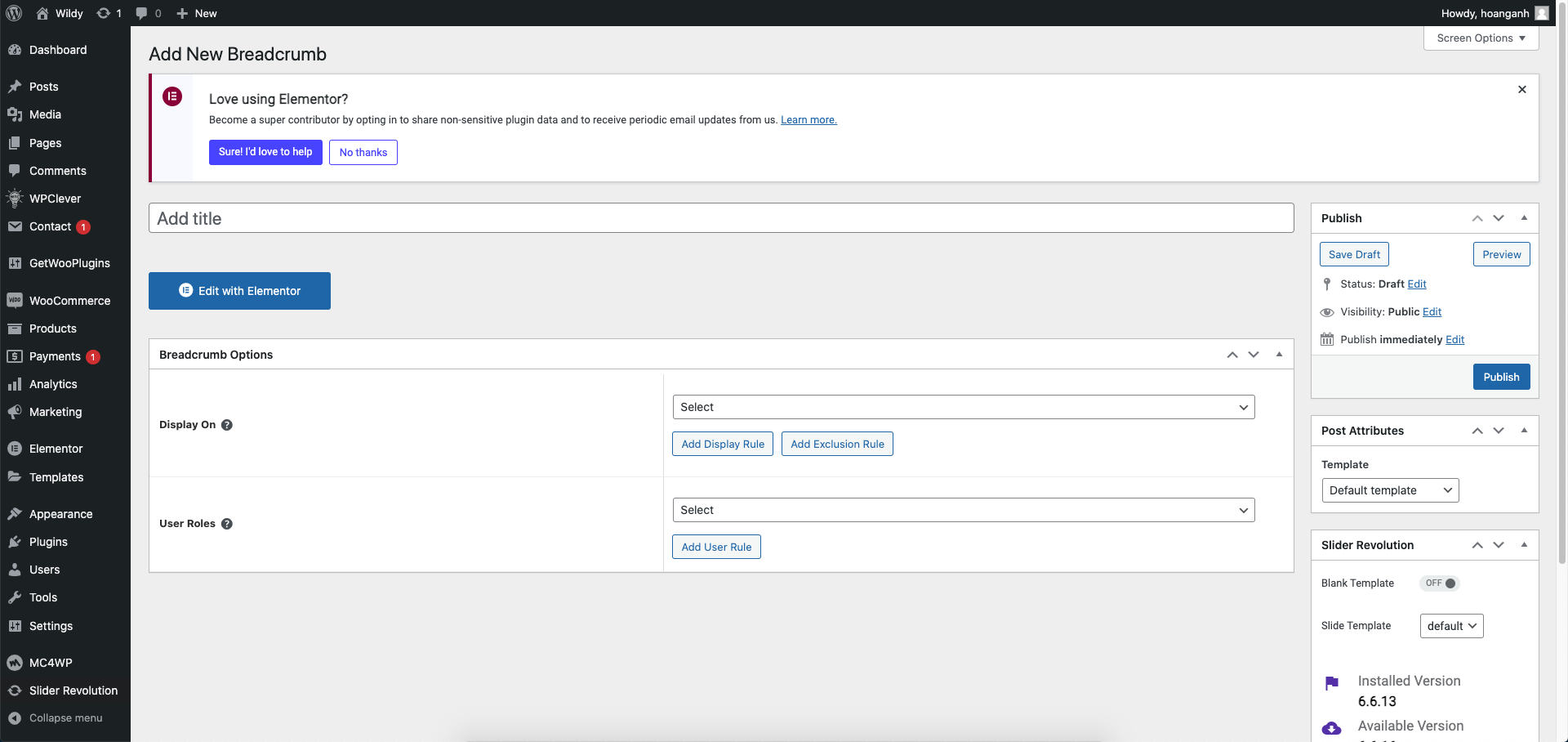
**Step 2 -** Click ‘**Add New**’ to Name your Breadcrumb template and click ‘**Publish**’ and '**Update**'.

<figure><img src="https://content.gitbook.com/content/2kcTXIbyXLOroFjB4YZi/blobs/NdZDCxavhADwzFKbQ0IG/Screen%20Shot%202023-10-02%20at%209.48.20%20AM.png" alt=""><figcaption></figcaption></figure>

**Step 3** - Drag or drop the element that you want to build your template style with a limited layout

<figure><img src="https://1302976746-files.gitbook.io/~/files/v0/b/gitbook-x-prod.appspot.com/o/spaces%2F2kcTXIbyXLOroFjB4YZi%2Fuploads%2Fz9oA1BFCd4MFIrjLWGoV%2FScreen%20Shot%202024-09-25%20at%209.58.02%20AM.png?alt=media&amp;token=e142fb9d-13d0-499f-8b05-feedb7876fc0" alt=""><figcaption></figcaption></figure>

After all, click **"Update"** for settings.

**Step 4 - Set up Breadcrumb**

* &#x20;Choose the tab **Breadcrumb** and you can add the template that has been created to the page.

![](https://content.gitbook.com/content/2kcTXIbyXLOroFjB4YZi/blobs/Z43SysRnrHqPHsqtXB9Z/Screen%20Shot%202024-06-03%20at%204.32.47%20PM.png)

* Edit the display of your Breadcrumb Template that can add the created template to the page.

![](https://content.gitbook.com/content/2kcTXIbyXLOroFjB4YZi/blobs/zGFBYxw9b4vVYtPn3yOu/Screen%20Shot%202023-05-22%20at%201.41.03%20PM.png)

**Step 5** - Click **SAVE & CLOSE.**

After all, click **"Update"** for settings.