# Breadcrumb

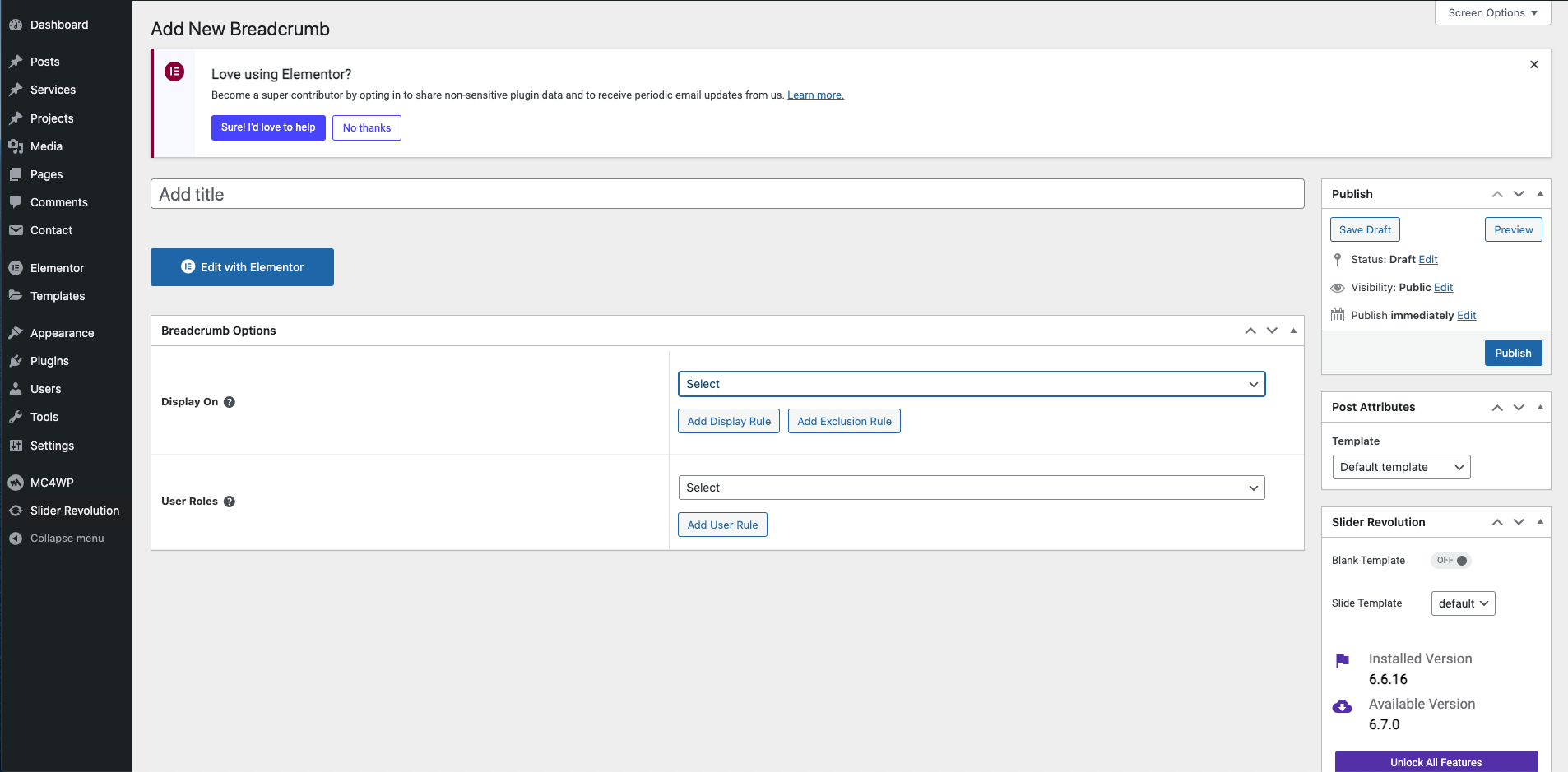
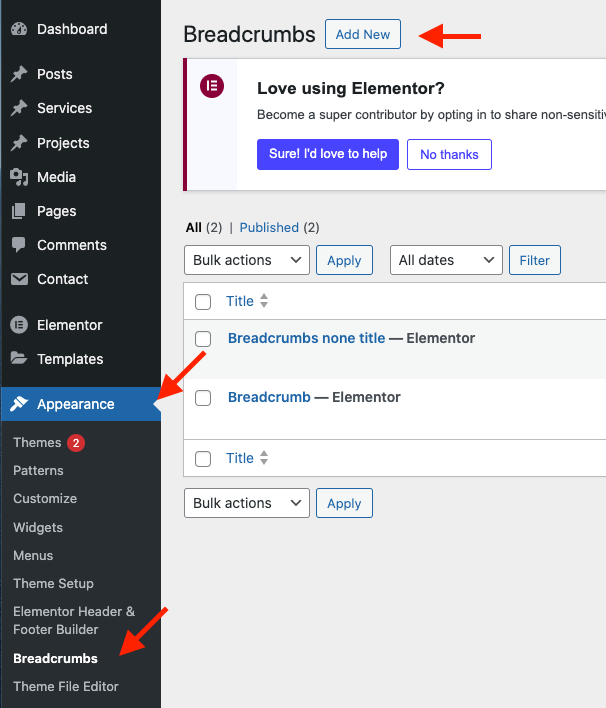
**Step 1 -** Go to **WordPress Dashboard** > **Appearance** > **Breadcrumbs** > **Add New**.

<figure><img src="https://content.gitbook.com/content/GL9o5bYkHxCT0AtApuIO/blobs/Qs9A5GHw68u2gFZTdy37/Screen%20Shot%202024-04-09%20at%202.19.02%20PM.png" alt=""><figcaption></figcaption></figure>

**Step 2 -** Click ‘**Add New**’, name your breadcrumb template and then click ‘**Publish**’.

<figure><img src="https://content.gitbook.com/content/GL9o5bYkHxCT0AtApuIO/blobs/9Wx3ZNfFKCdDrLAfbujL/Screen%20Shot%202024-04-09%20at%202.20.38%20PM.png" alt=""><figcaption></figcaption></figure>

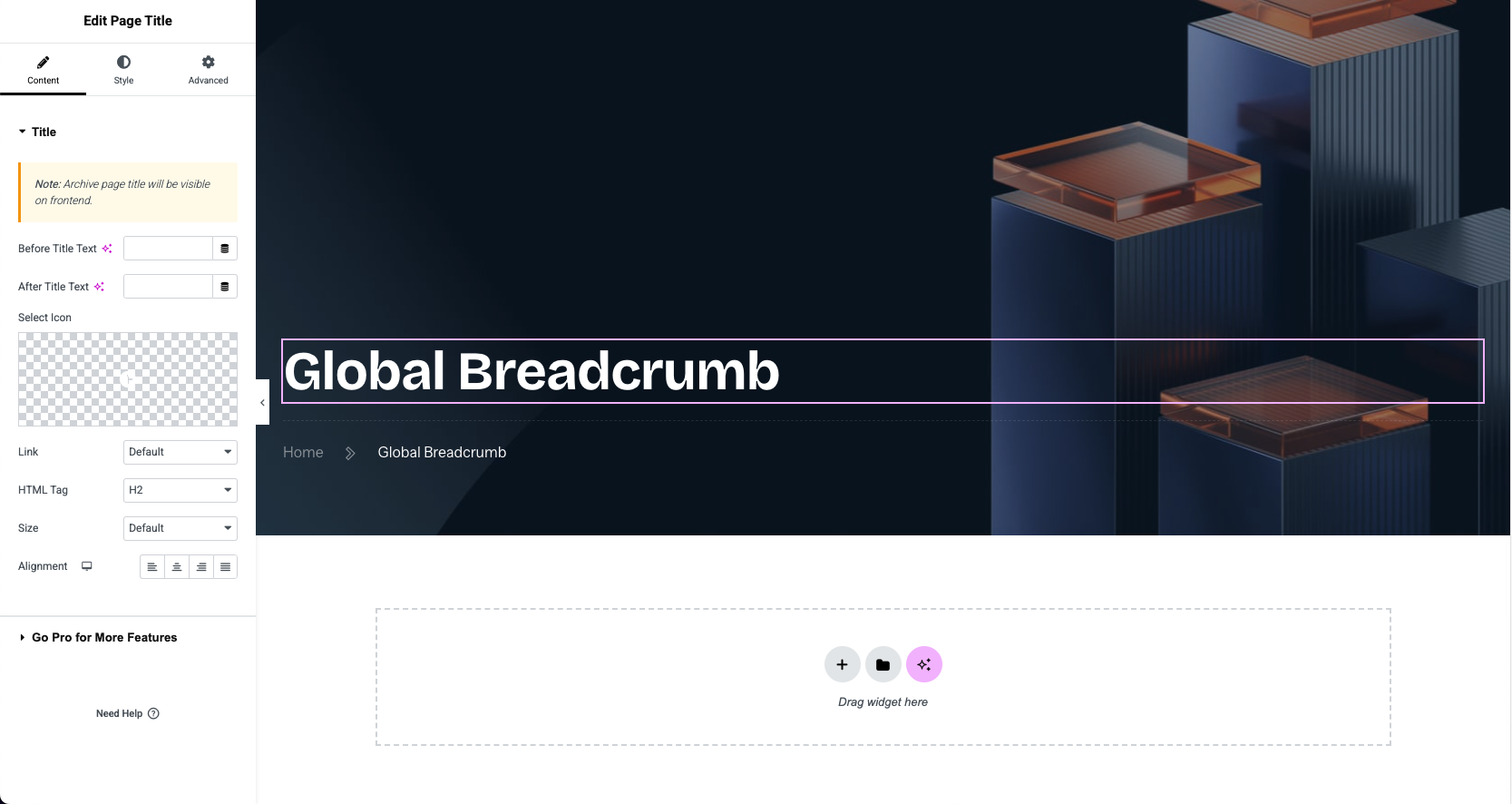
**Step 3** - Drag or drop the element that you want to build your template style with a limited layout.

<figure><img src="https://1717795764-files.gitbook.io/~/files/v0/b/gitbook-x-prod.appspot.com/o/spaces%2FGL9o5bYkHxCT0AtApuIO%2Fuploads%2FeUOhepqZImQkx0HLOnYI%2FScreen%20Shot%202025-11-14%20at%204.55.40%20PM.png?alt=media&#x26;token=337813d4-dfca-4cf6-b947-f6a304255942" alt=""><figcaption></figcaption></figure>

After all, click **"Update"** for settings.
**Step 4 - Breadcrumb Options**

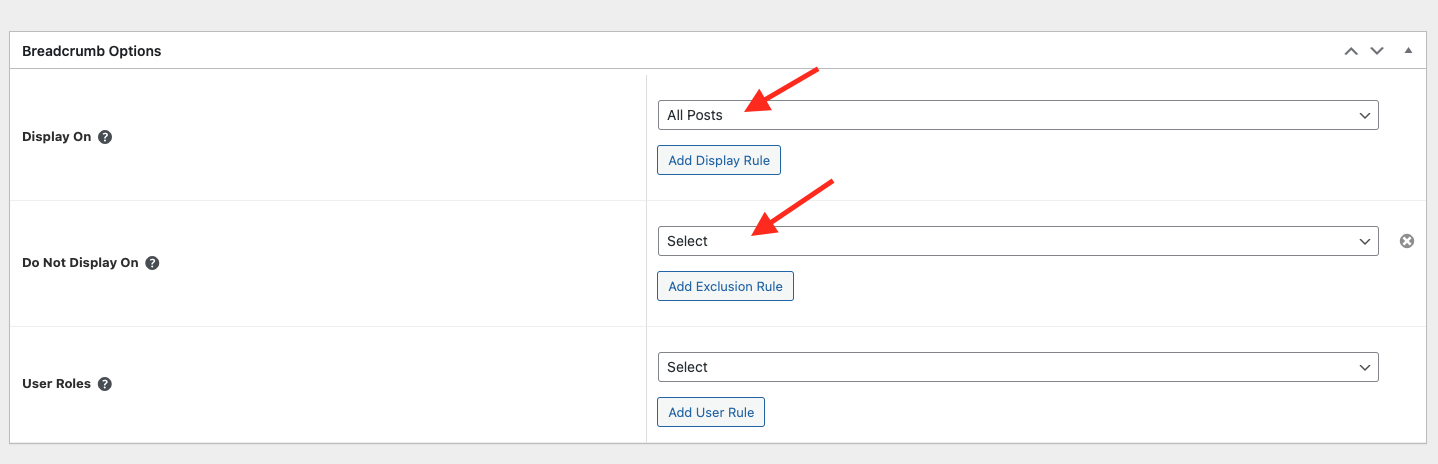
* Choose tab **Breadcrumb** and you can add the template that has been created to the page.
* Edit the display of your Breadcrumb Template that can add the created template to the page.

<figure><img src="https://content.gitbook.com/content/GL9o5bYkHxCT0AtApuIO/blobs/jZJCFrUHPohgJm2E9yvB/image.png" alt=""><figcaption></figcaption></figure>

**Step 5 -** **Save** & **Close**

After all, click **"Update"** for settings.