> For the complete documentation index, see [llms.txt](https://wpdocs.gitbook.io/diteck/llms.txt). Markdown versions of documentation pages are available by appending `.md` to page URLs; this page is available as [Markdown](https://wpdocs.gitbook.io/diteck/setting/breadcrumb.md).
# Breadcrumb
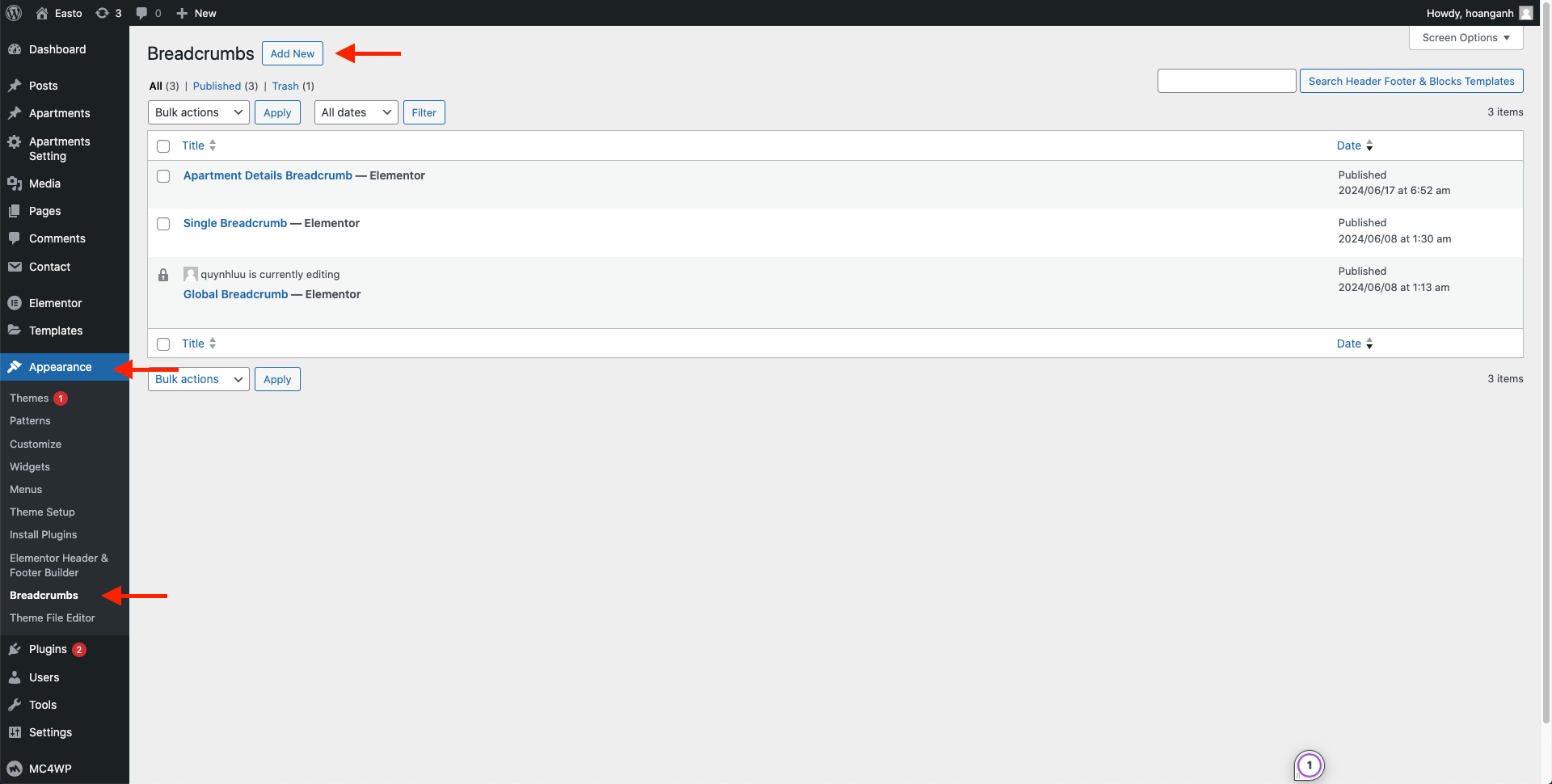
**Step 1 -** Go to WordPress Dashboard -> **Appearance** -> **Breadcrumb** -> **Add New**
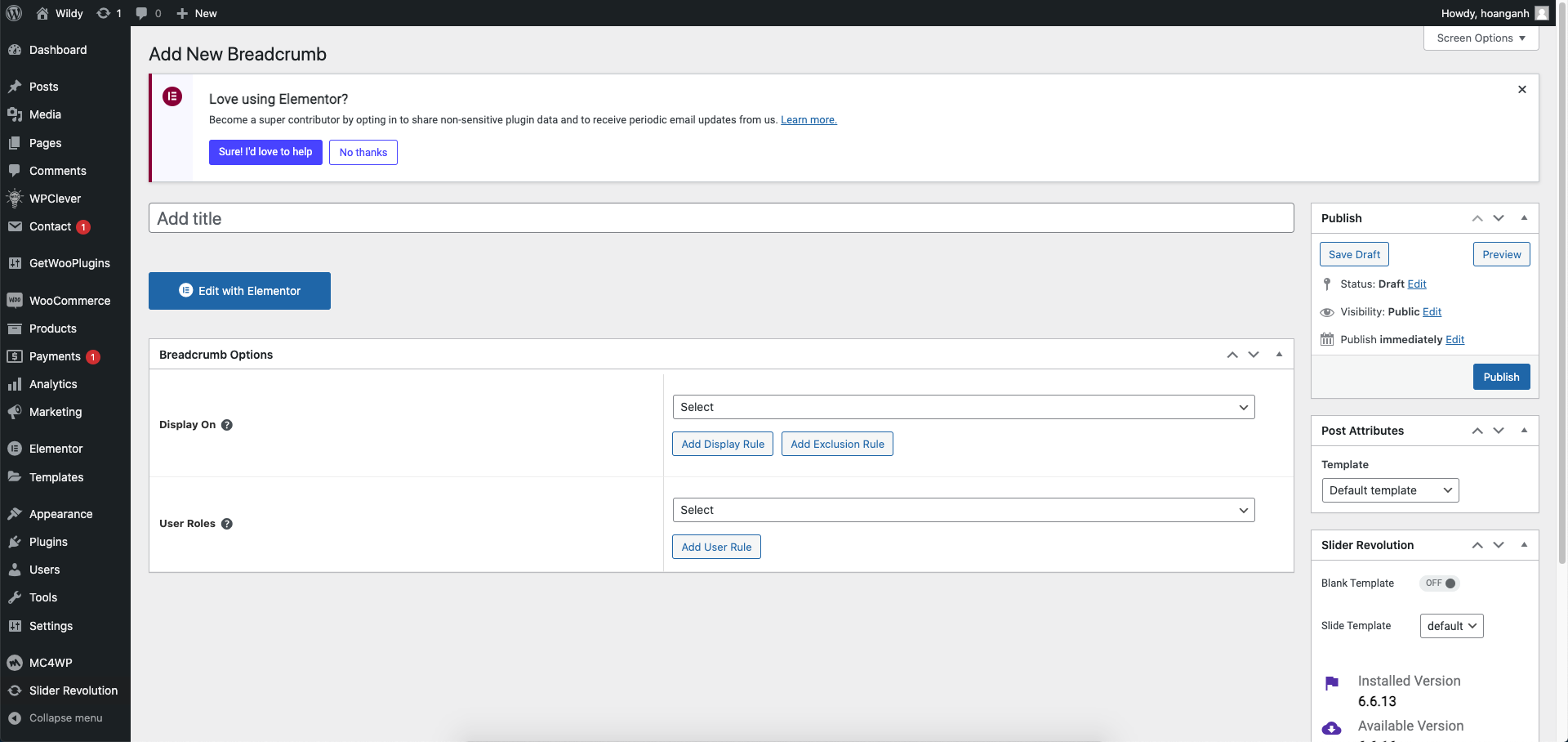
**Step 2 -** Click ‘**Add New**’ to Name your Breadcrumb template and click ‘**Publish**’ and '**Update**'.
**Step 3** - Drag or drop the element that you want to build your template style with a limited layout.
After all, click **"Update"** for settings.
**Step 4 - Set up Breadcrumb**
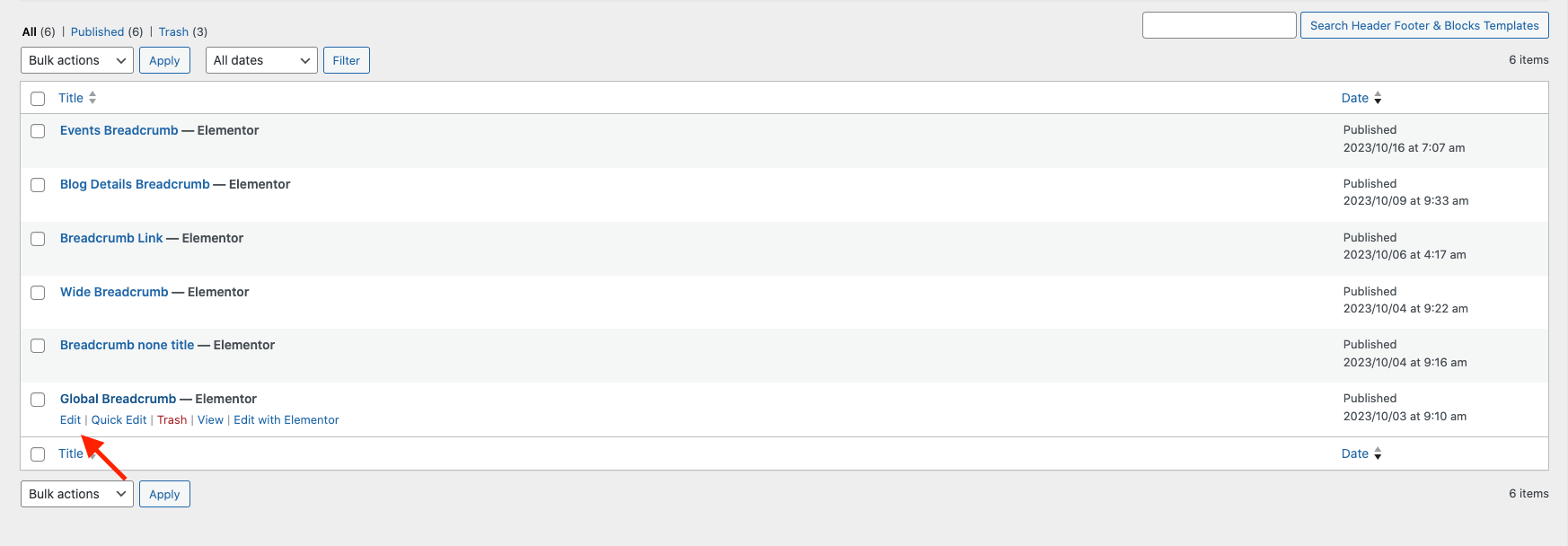
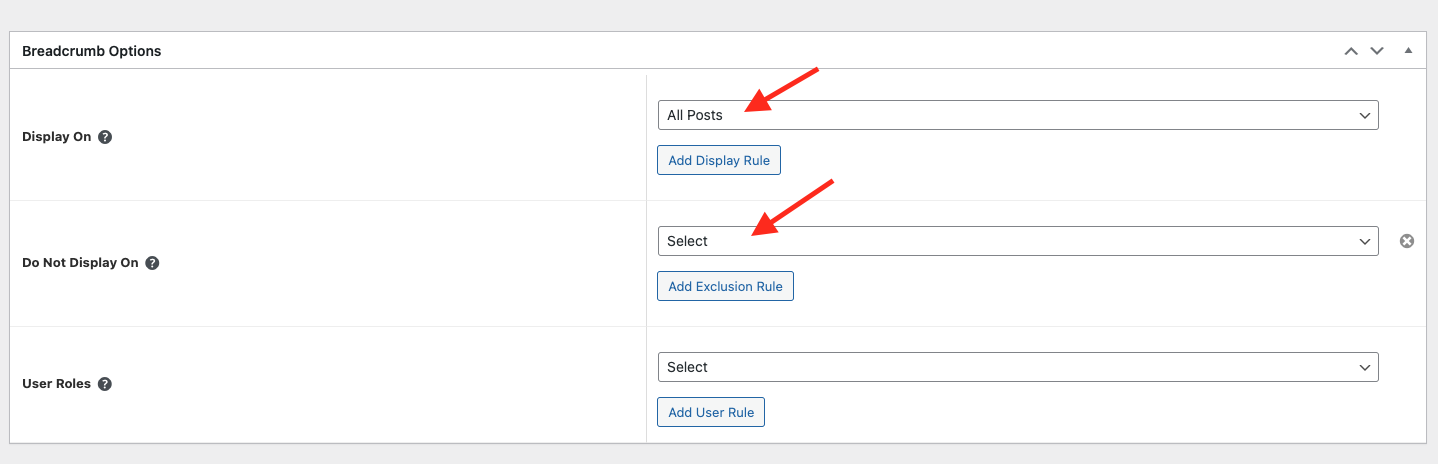
* Choose tab **Breadcrumb** and you can add the template that has been created to the page.
* Edit the display of your Breadcrumb Template that can add the created template to the page.
**Step 5** Click SAVE & CLOSE
After all, click **"Update"** for settings.