# Button

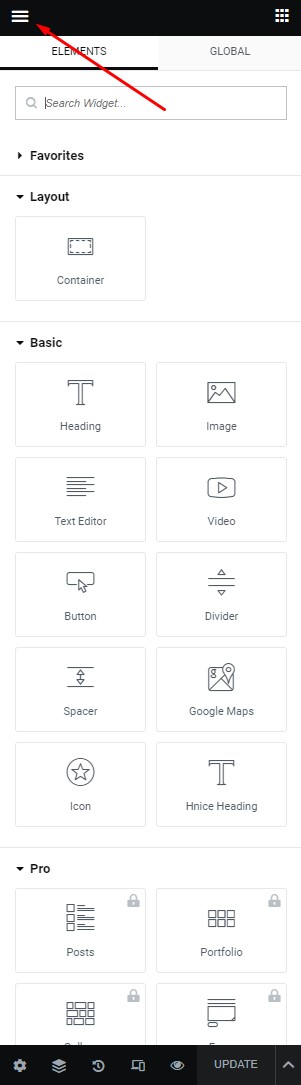
**Step 1** - you can go to any elementor edit page.

<figure><img src="https://1978458441-files.gitbook.io/~/files/v0/b/gitbook-x-prod.appspot.com/o/spaces%2FSfa4tIVlr7SD4DV7IMPn%2Fuploads%2FNzEz1MVxqKQodBUfPBhk%2Flayout1.jpg?alt=media&#x26;token=82f89bac-f64d-4256-a588-2757ee97095d" alt=""><figcaption></figcaption></figure>

**Step 2** - Site Settings >> Button >>

<figure><img src="https://1978458441-files.gitbook.io/~/files/v0/b/gitbook-x-prod.appspot.com/o/spaces%2FSfa4tIVlr7SD4DV7IMPn%2Fuploads%2FGgRAQdojem8sSYqYAVV3%2Fbutton.jpg?alt=media&#x26;token=9e257e54-6584-4540-948b-f48325aed688" alt=""><figcaption></figcaption></figure>

**Step 3** - Settings Button for your site

<figure><img src="https://1978458441-files.gitbook.io/~/files/v0/b/gitbook-x-prod.appspot.com/o/spaces%2FSfa4tIVlr7SD4DV7IMPn%2Fuploads%2FGD4fR2vUQZRwmnUZAjL4%2FScreenshot%202023-04-26%20at%2010.46.24.png?alt=media&#x26;token=29ba2b2d-c114-424b-b87f-8d9b6552b6e8" alt=""><figcaption></figcaption></figure>

**The Front end looks like**&#x20;