# Product Images

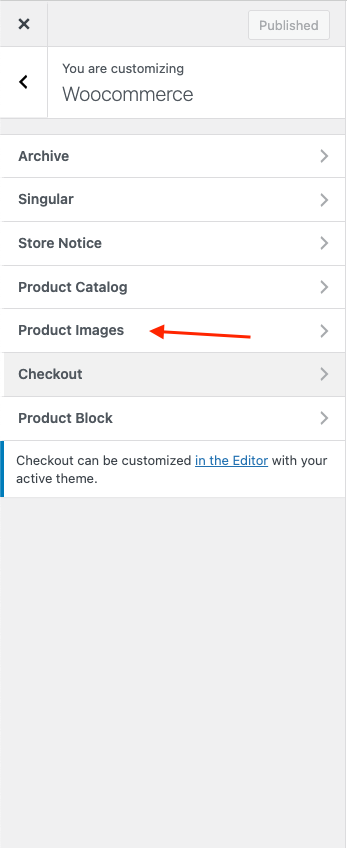
To set product per row, per page, you should tap "**WordPress Dashboard -> Customize -> WooCommerce"** then edit **"Product Images"**

**1.** **Main image width**

* Image size used for the main image on single product pages. These images will remain uncropped.

<figure><img src="https://content.gitbook.com/content/k5D0035BiB2YQ74PodtA/blobs/T7UaiOzw1h6ZzE4kts2F/Screenshot%202025-04-02%20at%2015.02.07.png" alt=""><figcaption></figcaption></figure>

<figure><img src="https://2906176068-files.gitbook.io/~/files/v0/b/gitbook-x-prod.appspot.com/o/spaces%2Fk5D0035BiB2YQ74PodtA%2Fuploads%2FaqseZcf3IPBqOV0I9KxU%2FScreenshot%202025-11-11%20at%2009.32.55.png?alt=media&#x26;token=433f5363-a849-475d-a829-db5affb27e9c" alt=""><figcaption></figcaption></figure>

* **The main image is shown on a single product page:**
<figure><img src="https://2906176068-files.gitbook.io/~/files/v0/b/gitbook-x-prod.appspot.com/o/spaces%2Fk5D0035BiB2YQ74PodtA%2Fuploads%2FIIPnuPcY29uZrcFvNaPW%2FScreenshot%202025-11-11%20at%2009.33.17.png?alt=media&#x26;token=b0af309a-ad46-408b-b2ac-5fa60c09843e" alt=""><figcaption></figcaption></figure>
