# Breadcrumb

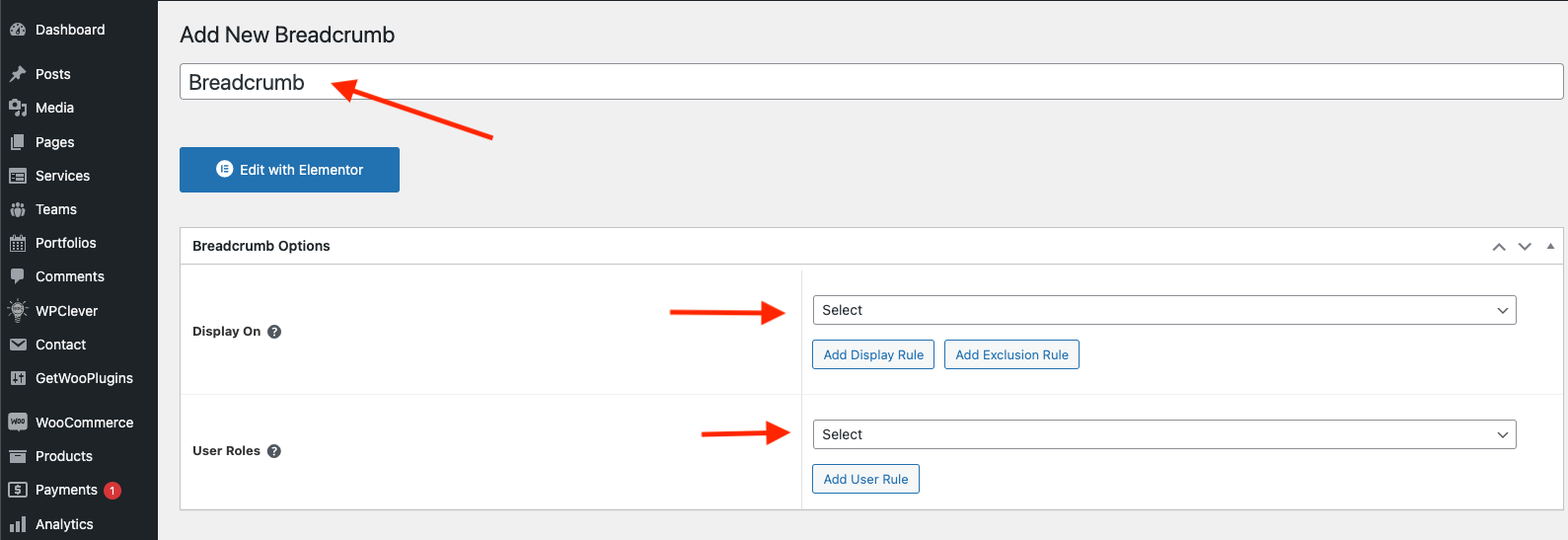
**Step 1** Go to WordPress Dashboard > Appearance > Breadcrumb > Add New

<figure><img src="https://content.gitbook.com/content/a0pGclTyhiXXIydsvt2V/blobs/U81qHqjKm810c7OgtPbl/Screenshot%202024-10-28%20at%2009.27.25.png" alt=""><figcaption></figcaption></figure>

<figure><img src="https://content.gitbook.com/content/a0pGclTyhiXXIydsvt2V/blobs/0ooLea3v2AGZdLuPFscv/Screenshot%202024-10-28%20at%2009.28.08.png" alt=""><figcaption></figcaption></figure>

<figure><img src="https://content.gitbook.com/content/a0pGclTyhiXXIydsvt2V/blobs/XfuXG9CQIgSIQTLCdBom/Screenshot%202024-10-28%20at%2009.28.54.png" alt=""><figcaption></figcaption></figure>

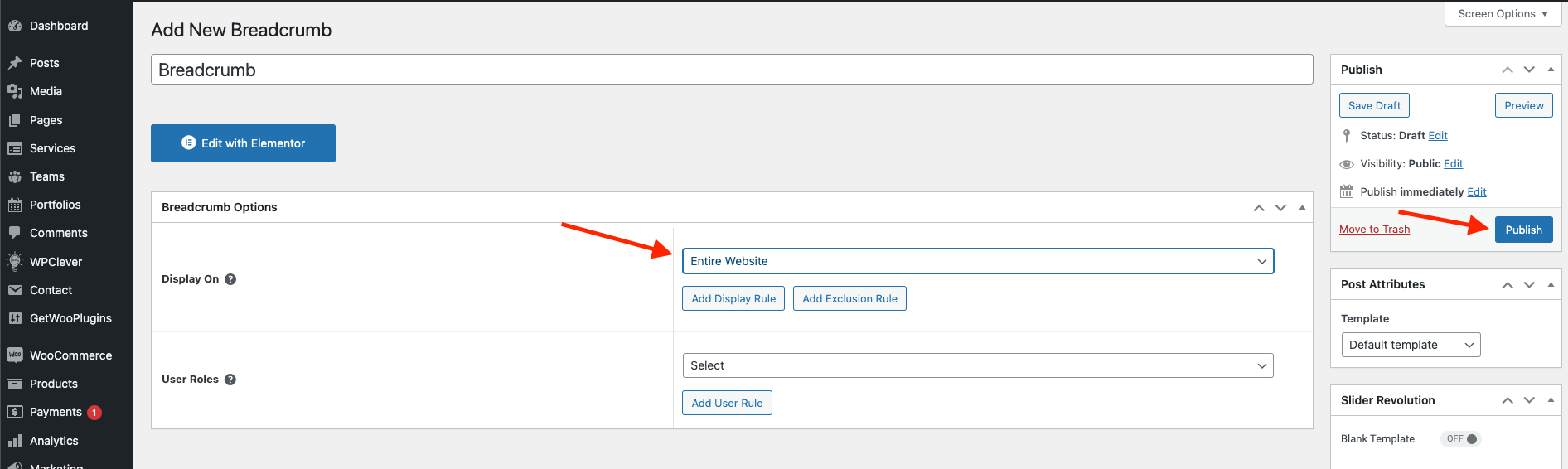
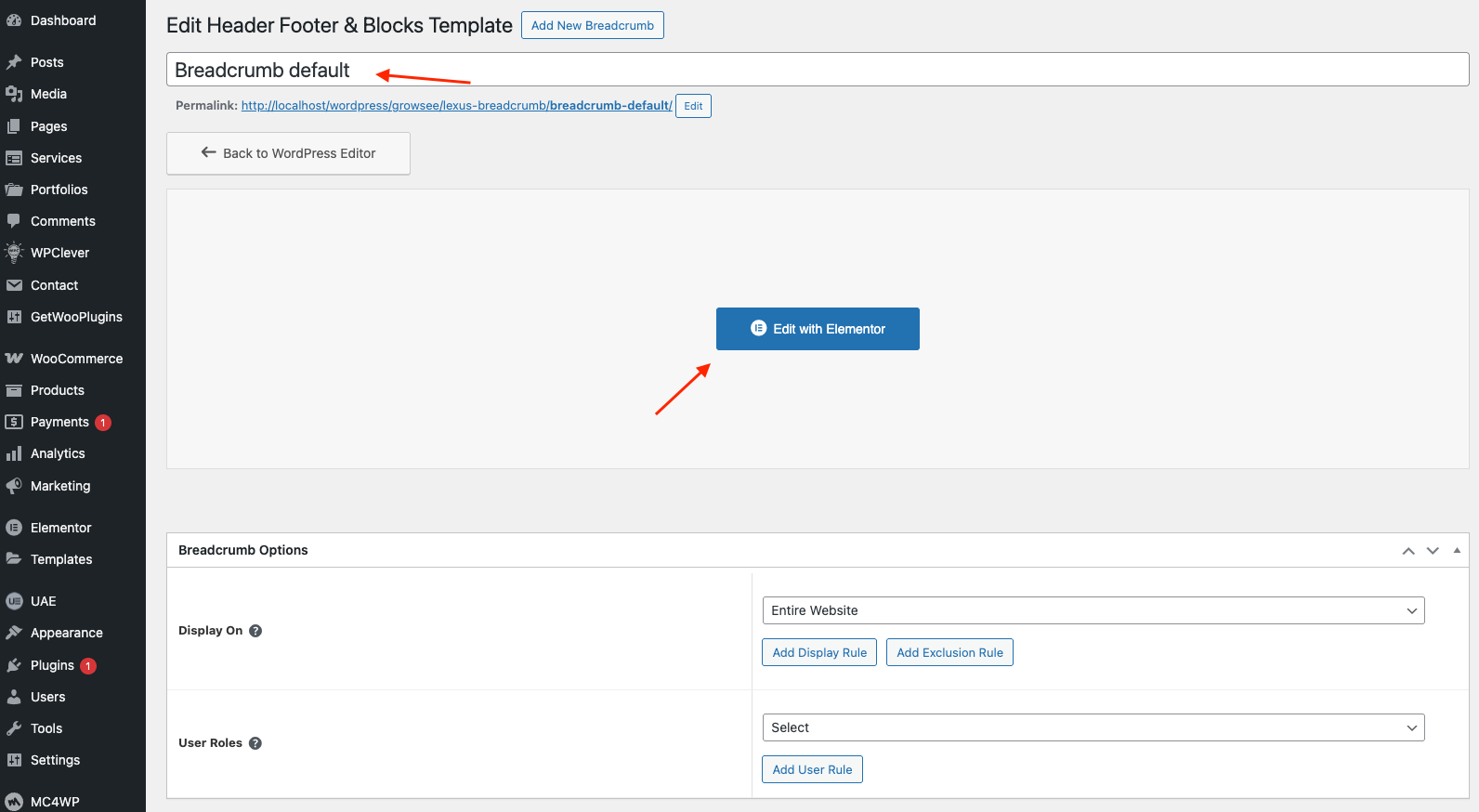
**Step 2** Click ‘Add New ’ and Name your Breadcrumb template and click ‘**Caren** Breadcrumb’ and 'update'.

<figure><img src="https://3614892340-files.gitbook.io/~/files/v0/b/gitbook-x-prod.appspot.com/o/spaces%2Fa0pGclTyhiXXIydsvt2V%2Fuploads%2Fq9M2CfkV2kPObTnqdDT1%2FScreenshot%202025-06-26%20at%2009.37.23.png?alt=media&#x26;token=2345e632-f6a8-4db9-9618-5ed09f9be84c" alt=""><figcaption></figcaption></figure>

<figure><img src="https://content.gitbook.com/content/a0pGclTyhiXXIydsvt2V/blobs/pp7k0UNFm6LNyO6Qqq6M/A%CC%89nh%20ma%CC%80n%20hi%CC%80nh%202025-05-12%20lu%CC%81c%2013.25.45.png" alt=""><figcaption></figcaption></figure>

**Step 3** - Drag or drop  the element that you want to build your template style with a limited layout

You can add "Antra Breadcrumb"

<figure><img src="https://3614892340-files.gitbook.io/~/files/v0/b/gitbook-x-prod.appspot.com/o/spaces%2Fa0pGclTyhiXXIydsvt2V%2Fuploads%2FbPRKMbkUeDi5ZPQNi6Un%2FScreenshot%202025-06-26%20at%2009.38.28.png?alt=media&#x26;token=6530c666-8d3c-4b64-b4c8-0c8dbf0dc187" alt=""><figcaption></figcaption></figure>

After all, click **"Update"** for settings.

**Step 4 - Set up Breadcrumb**

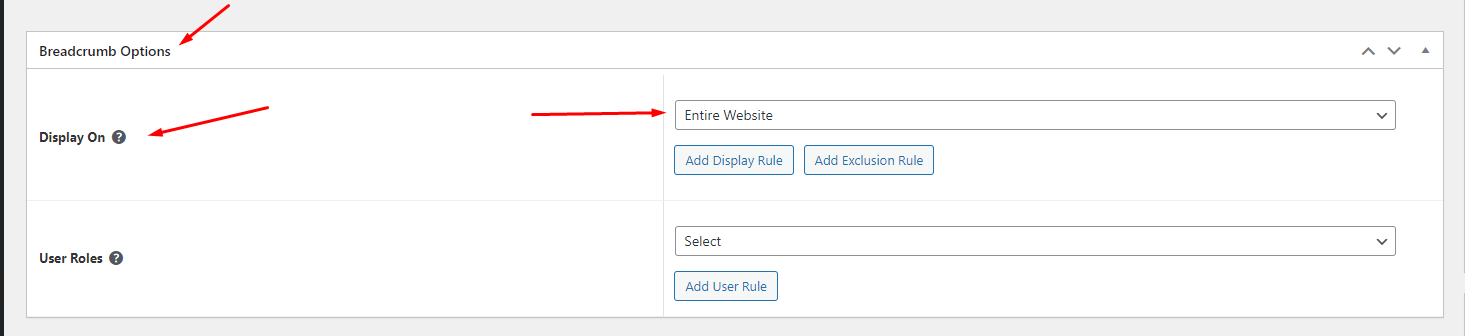
* &#x20;Choose tab **Breadcrumb** and you can add the template that has been created to the page.
*

```
<figure><img src="https://3614892340-files.gitbook.io/~/files/v0/b/gitbook-x-prod.appspot.com/o/spaces%2Fa0pGclTyhiXXIydsvt2V%2Fuploads%2Fq9M2CfkV2kPObTnqdDT1%2FScreenshot%202025-06-26%20at%2009.37.23.png?alt=media&#x26;token=2345e632-f6a8-4db9-9618-5ed09f9be84c" alt=""><figcaption></figcaption></figure>
```

* Edit the display of your Breadcrumb Template that can add the created template to the page.

<figure><img src="https://content.gitbook.com/content/a0pGclTyhiXXIydsvt2V/blobs/QCxpjHKo00nvZhWYWdYN/Screenshot_7.png" alt=""><figcaption></figcaption></figure>

**Step 5** Click SAVE & CLOSE

After all, click **"Update"** for settings.